


















Recipe Generator
Recipes from your ingredients
 gpt-4o-mini


Your prompt will appear here…
Your beautifully formatted article will appear here once you generate.
No history yet
Your generations will appear here. Sign in to save them permanently.
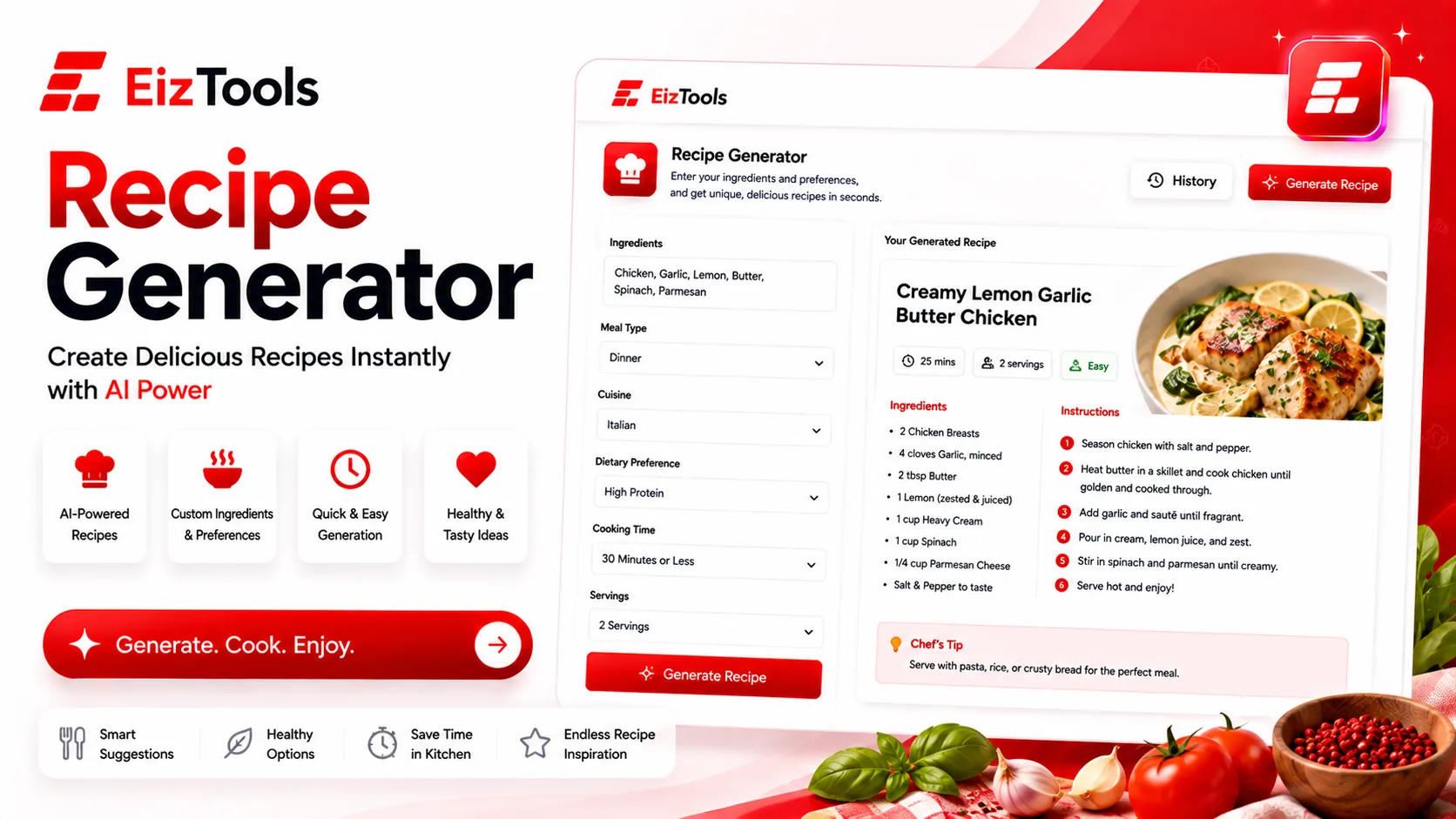
What is actually in your fridge right now, and what can you make with it in forty minutes? That question ruins more evenings than any other. You are not short of recipes. You are short of a recipe that fits tonight, the ingredients you have, and the amount of energy you have left.
Short answer: Recipe Generator is a free EizTools tool that writes a full recipe from what you have or what you fancy. You set the cuisine, meal type, skill level and dietary needs, and get ingredients and a method back.
What is Recipe Generator?
The Recipe Generator takes a plain request, such as a list of ingredients or a craving, and returns a complete recipe: quantities, a method in order, and the timings that go with it.
The useful part is the constraints. Tell it you are cooking gluten free, for a beginner, in one pot, and the recipe you get is one you can actually make, rather than one you have to adapt while the pan heats.
How Does Recipe Generator Work?
- Type what you want to cook, or list what you have, in the prompt box.
- Pick a model from the selector.
- Set the cuisine style, meal type, skill level and dietary focus in the advanced options.
- Move the detail level slider up if you want technique explained, down for a quick card.
- Generate. The recipe appears in the output card, ready to copy or download.
- Reopen the ones that worked from the activity history rather than generating them again.
Listing your ingredients is the way to get the most out of it. "Chicken thighs, half a lemon, rice, spinach" produces something you can cook now, while "dinner ideas" produces something you have to shop for.
The Four Settings That Shape The Meal
| Option | Choices | Why it matters |
|---|---|---|
| Cuisine Style | Italian, Mexican, Indian, Thai, Mediterranean, Japanese, French | Decides the flavour base, so the same ingredients become different dinners |
| Meal Type | Breakfast through Dessert, plus sides and snacks | Stops a dinner recipe arriving when you asked for something to take to work |
| Skill Level | Beginner, Intermediate, Advanced, One-Pot Easy | One-Pot Easy is the weeknight setting, and it also means less washing up |
| Dietary Focus | Vegetarian, Vegan, Gluten-Free, Keto, Low-Calorie, High-Protein, Dairy-Free | Builds the restriction into the recipe instead of leaving you to substitute |
Leaving an option on None is a real choice, not a blank. The recipe simply decides for you, which is what you want on the nights when choosing is the tiring part.
Important Cook with your own judgement on safety. Check meat and fish are properly cooked, use your own timings for your oven, and never rely on a generated recipe for allergy safety. If someone at the table has an allergy, verify every ingredient yourself.
Where It Helps Most
Weeknight dinners
One-Pot Easy plus what is in the fridge, and the deciding is done in seconds.
New diets
The first weeks of eating differently are the hardest. Dietary Focus removes the constant substitution maths.
Cooking for guests
Pick a cuisine, raise the detail level, and you get a recipe that explains the technique as you go.
EizTools is a free AI tools platform, and not everything on it is work. Cooking, travel and lifestyle tools sit next to the business ones, all free, all without an account, all with a model selector. If you are planning a week of meals, the Task Assistant turns the shopping and prep into an ordered list you can work through.
Frequently Asked Questions
Is Recipe Generator free?
Yes. No account, no credits, no daily limit. Generate as many recipes as you like and download the ones worth keeping.
Can I cook only with what I already have?
Yes, and that is where it is strongest. List your ingredients in the prompt and ask it to use only those, plus basics like oil, salt and pepper.
Does it give accurate calories?
Treat any nutrition figure as an estimate. Portion sizes and brands vary too much for a written recipe to be precise, so check for yourself if the numbers matter.
Can it handle allergies?
You can set dietary focus, but never rely on it for allergy safety. Read every ingredient yourself when someone at the table has an allergy.
Can I save the recipe?
Yes. Download it as TXT, Word or HTML, or copy it to the clipboard. Recent recipes stay in the history panel for the session.
Cooking rarely stalls at the stove. It stalls at the decision, somewhere between opening the fridge and ordering takeaway instead. Handing that decision to a tool that knows your ingredients, your diet and how tired you are gets dinner started. Tell it what you have above, and cook something tonight.

Sabir Bepari
Founder of EizTools and a passionate AI enthusiast dedicated to building practical, user-friendly AI tools that simplify everyday tasks.
Follow EizTools
New AI tools, practical tips and product updates — straight to your feed.
