


















10 Essential AI Tools Everyone Should Bookmark
Save your favorite AI tools in one place and access practical solutions that make everyday work faster, easier, and more enjoyable always.
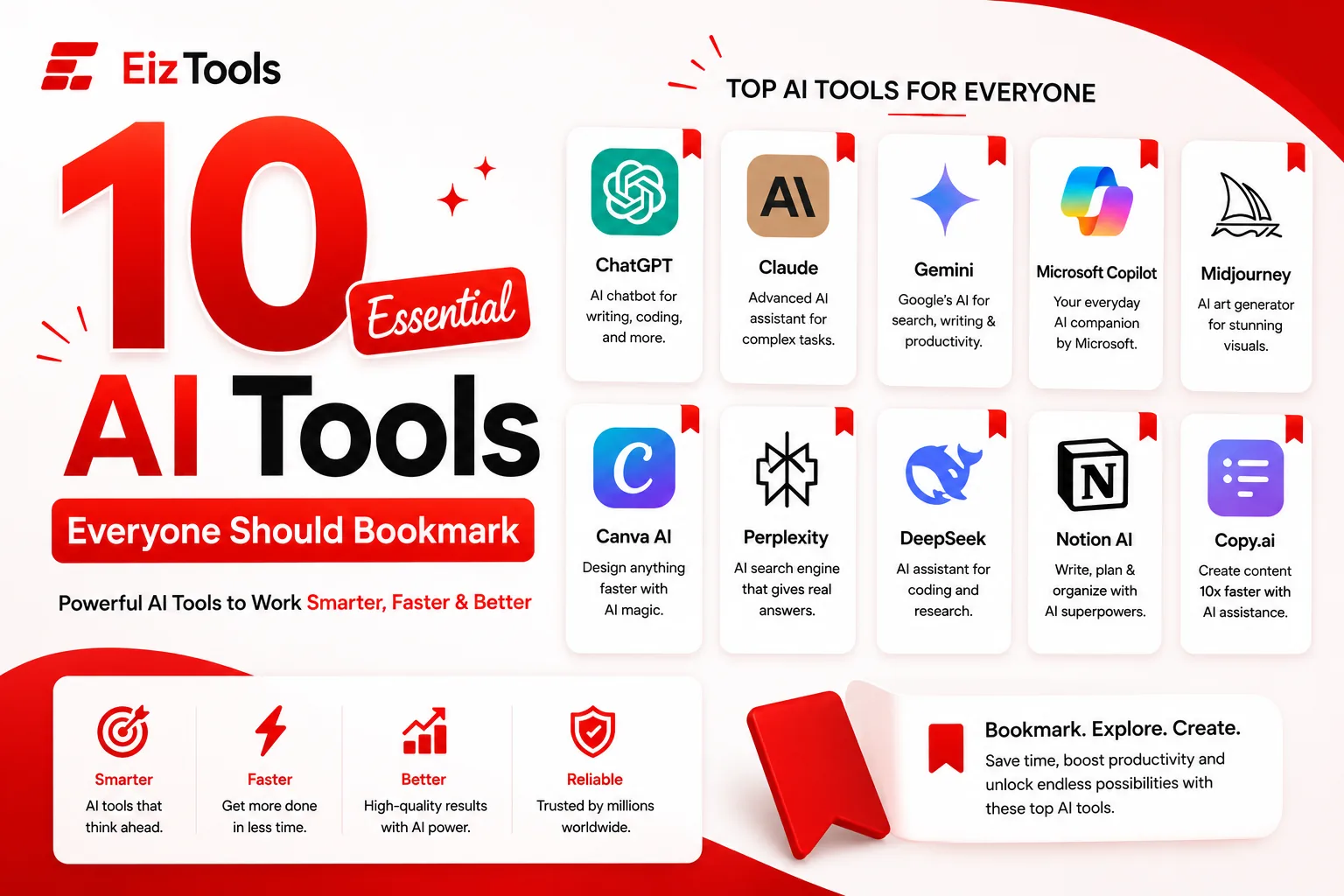
Have you ever wished you could finish your work faster without sacrificing quality? Are you looking for AI tools that actually improve your writing, research, coding, design, and everyday productivity? With hundreds of AI platforms launching every year, choosing the right one can quickly become overwhelming.
This guide is the answer. Instead of covering dozens of similar products, we've carefully selected the 10 Essential AI Tools Everyone Should Bookmark based on their popularity, reliability, features, and real world usefulness. Whether you're a student, content creator, marketer, developer, entrepreneur, or business owner, these tools can save hours of work every week while improving your results.
You'll also discover a bonus platform that helps you access useful online utilities from one place. If you're searching for the best AI resources and productivity solutions, EizTools is worth exploring alongside the tools featured below.
Why These 10 Essential AI Tools Everyone Should Bookmark
The AI industry changes quickly, but a few platforms consistently stand out because they deliver dependable results across multiple tasks. The tools in this article were selected using the following criteria.
- Trusted by millions of users worldwide.
- Regularly updated with new AI capabilities.
- Suitable for beginners and professionals.
- Support productivity across different industries.
- Offer practical value instead of experimental features.
Together, these tools cover writing, research, coding, creative design, productivity, organization, and AI powered search.
Quick Comparison of the Essential AI Tools Everyone Should Bookmark
| AI Tool | Best For | Main Strength |
|---|---|---|
| ChatGPT | Writing and coding | Versatile AI assistant |
| Claude | Long documents | Deep reasoning |
| Gemini | Google ecosystem | Search and productivity |
| Microsoft Copilot | Office work | Microsoft integration |
| Midjourney | AI artwork | High quality images |
| Canva AI | Graphic design | Easy visual creation |
| Perplexity | Research | Source backed answers |
| DeepSeek | Coding | Strong technical assistance |
| Notion AI | Productivity | Smart workspace |
| Copy.ai | Marketing | Fast content creation |
1. ChatGPT
ChatGPT is one of the most widely used AI assistants in the world. It helps users write articles, generate ideas, answer questions, create emails, summarize documents, write code, debug software, learn new topics, and automate repetitive tasks.
Its biggest advantage is versatility. Instead of installing multiple specialized applications, users can perform dozens of everyday tasks inside one AI conversation.
Key Features
- Content writing and editing
- Programming assistance
- Document summarization
- Brainstorming ideas
- Translation support
- Learning and tutoring
Best For
Students, writers, developers, marketers, business owners, freelancers, and anyone who wants an intelligent everyday assistant.
Advantages
- Easy to use
- Supports many industries
- Produces high quality responses
- Excellent for productivity
2. Claude
Claude has become one of the strongest AI assistants for handling long documents and complex reasoning. Professionals often use it to analyze reports, summarize research papers, improve business writing, and explain technical concepts in a clear way.
One of Claude's biggest strengths is maintaining context across lengthy conversations, making it valuable for research intensive projects.
Key Features
- Excellent document analysis
- Natural writing style
- Strong logical reasoning
- Large context window
- Professional content generation
Best For
Researchers, consultants, legal professionals, technical writers, and businesses working with large amounts of information.
Advantages
- Handles long documents efficiently
- Produces thoughtful responses
- Strong for business communication
3. Gemini
Gemini is Google's advanced AI assistant designed to improve search, writing, learning, and productivity. Because it connects well with Google's ecosystem, many users rely on it for research, drafting content, and everyday work.
Gemini continues to evolve with multimodal capabilities, allowing users to work with text, images, and other forms of information more efficiently.
Key Features
- AI powered writing assistance
- Research support
- Image understanding
- Google ecosystem integration
- Productivity improvements
Best For
Students, educators, professionals, and Google Workspace users.
Advantages
- Works naturally with Google services
- Fast information retrieval
- Helpful for everyday productivity
4. Microsoft Copilot
Microsoft Copilot brings AI directly into everyday work. Whether you're creating presentations, writing reports, analyzing spreadsheets, or managing emails, Copilot helps automate routine tasks inside Microsoft's productivity ecosystem.
For businesses already using Microsoft applications, Copilot can significantly reduce manual work while improving efficiency.
Key Features
- AI assistance for documents
- Spreadsheet analysis
- Email drafting
- Presentation creation
- Workflow automation
Best For
Office professionals, enterprises, project managers, analysts, and corporate teams.
Advantages
- Excellent Microsoft integration
- Improves workplace productivity
- Reduces repetitive work
How to Choose the Right AI Tool
Not every AI platform serves the same purpose. Before selecting one, consider the type of work you do most often.
- Choose ChatGPT for everyday writing, coding, and learning.
- Choose Claude for deep analysis and long documents.
- Choose Gemini if you frequently use Google's ecosystem.
- Choose Microsoft Copilot for workplace productivity.
The remaining tools focus on design, research, organization, marketing, and software development, which we'll explore in the next part of this guide covering more Essential AI Tools Everyone Should Bookmark.
If you're interested in discovering more useful productivity resources beyond AI assistants, you can also explore the growing collection of online utilities available on EizTools Tools.
5. Midjourney
Midjourney has become one of the most respected AI image generation platforms available today. It allows users to create realistic artwork, illustrations, concept designs, marketing graphics, product mockups, fantasy scenes, and creative visuals simply by describing what they want in natural language.
Unlike traditional graphic design software, Midjourney focuses on transforming ideas into high quality visuals within minutes. Designers, artists, agencies, and content creators use it to speed up brainstorming and visual production while maintaining impressive image quality.
Key Features
- Generate high quality AI artwork from text prompts.
- Create concept art and product mockups.
- Produce realistic and artistic illustrations.
- Support multiple artistic styles.
- Fast image generation workflow.
Best For
Graphic designers, digital artists, marketers, game developers, content creators, and creative professionals.
Advantages
- Excellent image quality.
- Highly creative outputs.
- Ideal for branding and marketing visuals.
- Large creative community.
6. Canva AI
Canva AI combines artificial intelligence with one of the world's most popular design platforms. It helps users generate presentations, social media graphics, posters, resumes, logos, videos, documents, and marketing materials without requiring professional design experience.
Its AI powered features simplify editing, remove backgrounds, generate images, rewrite text, and automatically improve layouts. This makes Canva AI one of the most practical choices among the Essential AI Tools Everyone Should Bookmark.
Key Features
- AI image generation.
- Magic Write for content creation.
- Background removal.
- Presentation and document generation.
- Social media design templates.
Best For
Business owners, marketers, teachers, students, freelancers, and social media managers.
Advantages
- Very beginner friendly.
- Huge template library.
- Fast content and design creation.
- Supports teams and collaboration.
7. Perplexity
Perplexity is an AI powered search engine designed to provide direct answers backed by reliable sources. Instead of displaying a long list of search results, it summarizes information and cites where the information comes from, helping users verify facts more efficiently.
This approach makes research faster while reducing the time spent opening multiple websites. Students, journalists, analysts, and professionals often rely on Perplexity when accuracy and source verification matter.
Key Features
- AI powered search.
- Source cited responses.
- Research summaries.
- Follow up questions.
- Fast information discovery.
Best For
Researchers, students, writers, journalists, analysts, and professionals who need trustworthy information.
Advantages
- Provides cited answers.
- Excellent research experience.
- Easy to verify information.
- Saves significant research time.
8. DeepSeek
DeepSeek has quickly gained recognition for its strong capabilities in coding, reasoning, mathematics, and technical problem solving. Developers frequently use it to generate code, debug software, explain algorithms, and improve programming workflows.
Although it also performs general AI tasks, DeepSeek stands out because of its technical strengths, making it especially useful for engineers, software developers, and computer science students.
Key Features
- Code generation.
- Bug detection.
- Programming explanations.
- Mathematical reasoning.
- Technical research assistance.
Best For
Software engineers, developers, technical students, data professionals, and researchers.
Advantages
- Strong coding capabilities.
- Useful for technical learning.
- Fast problem solving.
- Supports multiple programming languages.
Comparing AI Tools by Primary Use Case
| Task | Recommended AI Tool |
|---|---|
| Content Writing | ChatGPT, Claude, Copy.ai |
| Research | Perplexity, Gemini |
| Programming | DeepSeek, ChatGPT |
| Graphic Design | Canva AI |
| AI Artwork | Midjourney |
| Office Productivity | Microsoft Copilot |
| Business Documents | Claude |
Tips for Getting Better Results from AI Tools
Simply opening an AI application is not enough to achieve great results. The quality of your prompts and workflow plays a major role in the usefulness of AI generated content.
- Write clear and specific instructions.
- Provide context before asking questions.
- Break complex tasks into smaller requests.
- Review AI generated content before publishing.
- Combine multiple AI tools for better productivity.
- Always verify important facts using trusted sources.
Following these practices will help you get more accurate, relevant, and professional outputs from the Essential AI Tools Everyone Should Bookmark.
Who Should Use These AI Tools?
One of the biggest advantages of modern artificial intelligence is its versatility. Different professionals can benefit from different tools depending on their daily responsibilities.
- Students: Research, note taking, studying, and writing assignments.
- Developers: Coding, debugging, documentation, and learning new technologies.
- Content Creators: Blog writing, video scripts, social media content, and brainstorming.
- Designers: AI artwork, presentations, branding, and marketing graphics.
- Businesses: Productivity, customer communication, planning, and automation.
- Freelancers: Faster project delivery and improved client work.
In the final part, we'll cover the remaining AI tools, introduce a bonus recommendation from EizTools, answer frequently asked questions, and wrap up this guide with practical recommendations for choosing the right AI platform.
9. Notion AI
Notion AI adds intelligent assistance directly into your workspace, making it easier to write, organize, summarize, and manage information. Instead of switching between multiple applications, users can create notes, meeting summaries, project plans, and knowledge bases in one place.
Its AI features help generate content, improve writing, extract key information from long documents, and automate repetitive documentation tasks. For teams and individuals who rely on organized workflows, Notion AI is one of the Essential AI Tools Everyone Should Bookmark.
Key Features
- AI writing assistance.
- Meeting and document summaries.
- Project planning support.
- Knowledge management.
- Task organization.
Best For
Project managers, startups, students, businesses, remote teams, and knowledge workers.
Advantages
- Keeps information organized.
- Reduces manual documentation.
- Excellent collaboration features.
- Easy integration into daily workflows.
10. Copy.ai
Copy.ai focuses on helping users create marketing and business content faster. It can generate blog outlines, product descriptions, social media posts, advertising copy, email campaigns, website content, and sales messages within minutes.
Businesses and marketing professionals use Copy.ai to reduce the time spent creating repetitive content while maintaining consistency across campaigns.
Key Features
- Marketing copy generation.
- Product descriptions.
- Email writing.
- Social media content.
- Sales and advertising copy.
Best For
Digital marketers, ecommerce businesses, agencies, entrepreneurs, and content teams.
Advantages
- Speeds up marketing workflows.
- Simple interface.
- Useful templates for many business needs.
- Supports content consistency.
Bonus Recommendation: Explore More Productivity Resources with EizTools
While AI assistants solve many everyday challenges, users often need additional utilities for file conversion, SEO, developer workflows, image editing, text formatting, calculators, and productivity tasks. That's where EizTools becomes a valuable companion.
EizTools brings together a growing collection of free online tools designed to help students, creators, developers, marketers, and businesses complete everyday work more efficiently. Whether you need a quick utility or want to discover new productivity resources, EizTools provides an easy way to find practical tools in one place.
You can also browse the expanding collection of utilities by visiting the EizTools Tools Directory.
Why These Essential AI Tools Everyone Should Bookmark Matter
Artificial intelligence is no longer limited to technology companies. It has become part of everyday work across education, software development, marketing, design, customer service, research, and business operations.
The Essential AI Tools Everyone Should Bookmark featured in this guide cover nearly every major productivity need. ChatGPT offers versatility for writing and coding, Claude excels at deep reasoning, Gemini strengthens research and productivity, Microsoft Copilot improves workplace efficiency, Midjourney creates stunning artwork, Canva AI simplifies design, Perplexity delivers source backed research, DeepSeek supports developers, Notion AI organizes knowledge, and Copy.ai accelerates marketing content.
Using the right combination of these tools can help you save time, improve accuracy, increase creativity, and focus more on meaningful work instead of repetitive tasks.
Worth Bookmarking Too
Bookmarks earn their place by being open when you need them. Three that fit that test without a login: the Blog Writer for a draft you have been putting off, the Text Summarizer for the document someone just sent you, and the Task Assistant for turning messy notes into an ordered list before you forget what was agreed.
Frequently Asked Questions About Essential AI Tools Everyone Should Bookmark
Which AI tool is best for beginners?
ChatGPT is often the easiest starting point because it supports writing, coding, learning, brainstorming, and general productivity through a simple conversational interface.
Which AI tool is best for research?
Perplexity is an excellent choice for research because it provides direct answers along with source references, while Gemini also performs well for everyday information gathering.
Which AI platform is best for coding?
Claude and ChatGPT both provide strong programming assistance, including code generation, debugging, explanations, and software development support.
Which AI tool creates images?
Midjourney specializes in generating high quality AI artwork, while Canva AI also offers image generation alongside complete graphic design capabilities.
Can businesses use these AI tools?
Yes. Businesses of all sizes use these AI platforms for customer communication, marketing, documentation, research, workflow automation, design, and productivity improvements.
Are AI tools replacing human creativity?
No. AI tools are designed to assist people by reducing repetitive work and accelerating idea generation. Human creativity, judgment, and expertise remain essential for producing high quality results.
Choosing the right AI platform doesn't mean using every tool available. It means selecting the ones that best match your daily work. By bookmarking these Essential AI Tools Everyone Should Bookmark, you'll have reliable solutions for writing, coding, research, design, planning, and business productivity whenever you need them.
As artificial intelligence continues to evolve, staying informed about the latest tools and productivity resources will help you work smarter and adapt more quickly to new technology.
Thank you for reading this guide from EizTools. We truly appreciate your support. To stay updated with the latest AI tools, online utilities, tutorials, and productivity resources, follow EizTools on social media, subscribe to our newsletter, and enable push notifications so you never miss new updates, feature releases, or helpful guides.

Sabir Bepari
Founder of EizTools and a passionate AI enthusiast dedicated to building practical, user-friendly AI tools that simplify everyday tasks.
Join the Newsletter
Get the best new AI tools and tips delivered to your inbox. No spam.
By subscribing you agree to receive emails from EizTools. Unsubscribe anytime.
Follow EizTools
New AI tools, practical tips and product updates — straight to your feed.
Discussion 0
Join the conversation — share your thoughts, ask questions, help others.
No comments yet. Be the first to share your thoughts!

